Inbox
Conversation Archive
Find ended threads and earlier conversation history using date, assignee, channel, and label filters.
Regular Inbox views show the latest thread of each conversation. When a customer messages again after handling has ended and a new thread starts, use the Archive to find the earlier thread.
Each thread has its own messages, creation time, assignee, status, and labels. This helps distinguish an earlier request from current support work.
Open the archive
Choose Ended in the Inbox menu. The magnifying-glass button at the top of that menu also opens the archive. Select an item to read that thread's messages.
Opening an earlier thread from Recent Conversations in the details panel scopes the archive to that conversation. Select All ended chats to leave that scope.
Filters
Select Filter chats and choose a condition:
| Filter | Use |
|---|---|
| Date range | Limit when the thread was created |
| Assignee | Select one or more assigned members |
| Channel | Select one or more conversation channels |
| Labels | Threads with at least one selected label |
Different filters combine with AND. For example, selecting WhatsApp and an assignee requires both to match. Multiple values within one selection filter mean any one can match.
Use each filter's menu to edit or remove it. Clear filters removes all selected conditions.
Choose dates
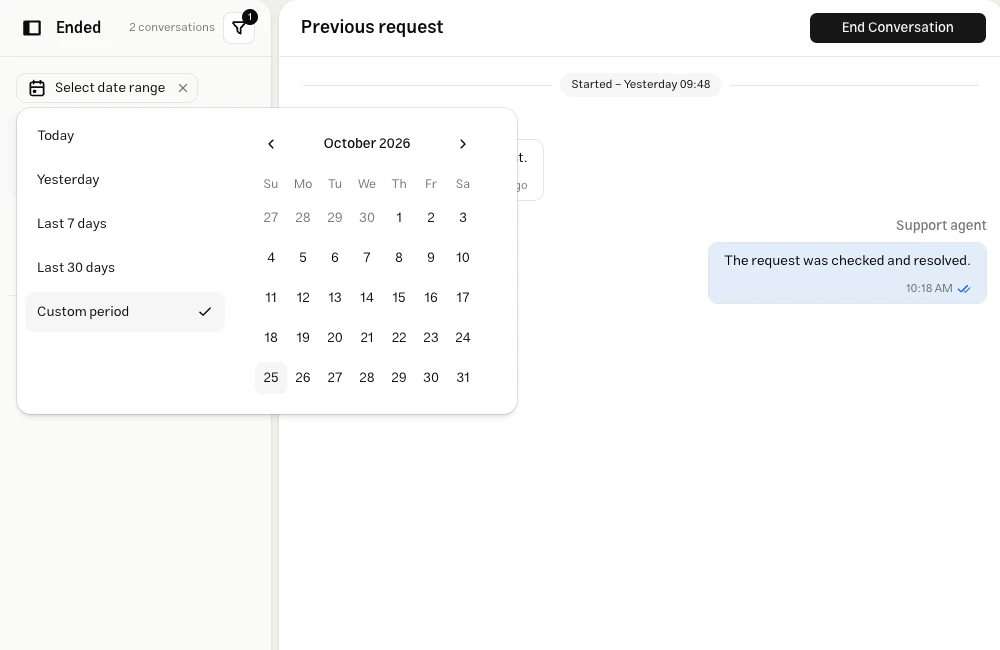
Use Today, Yesterday, Last 7 days, Last 30 days, or a custom period. For a custom range, choose the start day and then the end day.
Search and ordering
Searching message text is not currently available. Use filters and customer history to locate a thread.
The archive currently lists newest thread creation times first. Its ordering control is not enabled yet; ordering in regular Inbox views does not describe archive behavior.
Continue replying
Open earlier threads to read history. Select Reply in the latest conversation to move to the current thread before sending a reply. If the latest thread is closed, choose Reopen Conversation and continue in the open thread.
Assignment is also changed from the latest thread. Inspect labels on an earlier thread to classify that historical interaction; regular view filters evaluate labels on the latest thread.
Troubleshooting
The conversation scope is active, usually after entering from Recent Conversations. Select All ended chats and filter again.
The label must be on the historical thread itself. A label on the latest thread is not necessarily present on an earlier one. Check the date range and other filters too.
Items already loaded remain visible. Use the retry option to continue loading the same list.