Channels
Dedicated Page (Muchat Link)
Prepare and publish a standalone Muchat conversation page, choose its address, and share the final link with users.
Overview
Muchat Link is a standalone page for conversations with your agent. Use it when you want users to start chatting from a shared link without installing a website widget. Its appearance and content are configured independently from the website widget.
What you can do
Publish a direct chat address and customize the page title, description, initial messages, and appearance for its purpose.
How to publish
Open the page settings
Choose your agent in the dashboard. In Deploy, find Dedicated page (Muchat Link) and click Setup or Manage.
Prepare content and appearance
Edit the title, description, initial messages, and suggested questions. Check the preview at different sizes and save your changes.
Choose the page address
Click Publish and review Page URL. If changing it, wait for availability confirmation and click Save.
Test and share the final link
Check that the channel is enabled. Open Visit page, send a question, and check the reply. Share that final published address.
Dedicated page display
| Section | Settings |
|---|---|
| Content | Profile picture, name, description, initial messages, input placeholder, and default questions |
| Capabilities | Voice messages, starting a new conversation, source display, and branding removal, subject to account access |
| Style | Light or dark appearance and the primary color |
| Typography | Estedad or Yekan Bakh font |
| Socials | TikTok, Instagram, X, YouTube, GitHub, and website links |
| Language | Persian, English, or Arabic for the page interface |
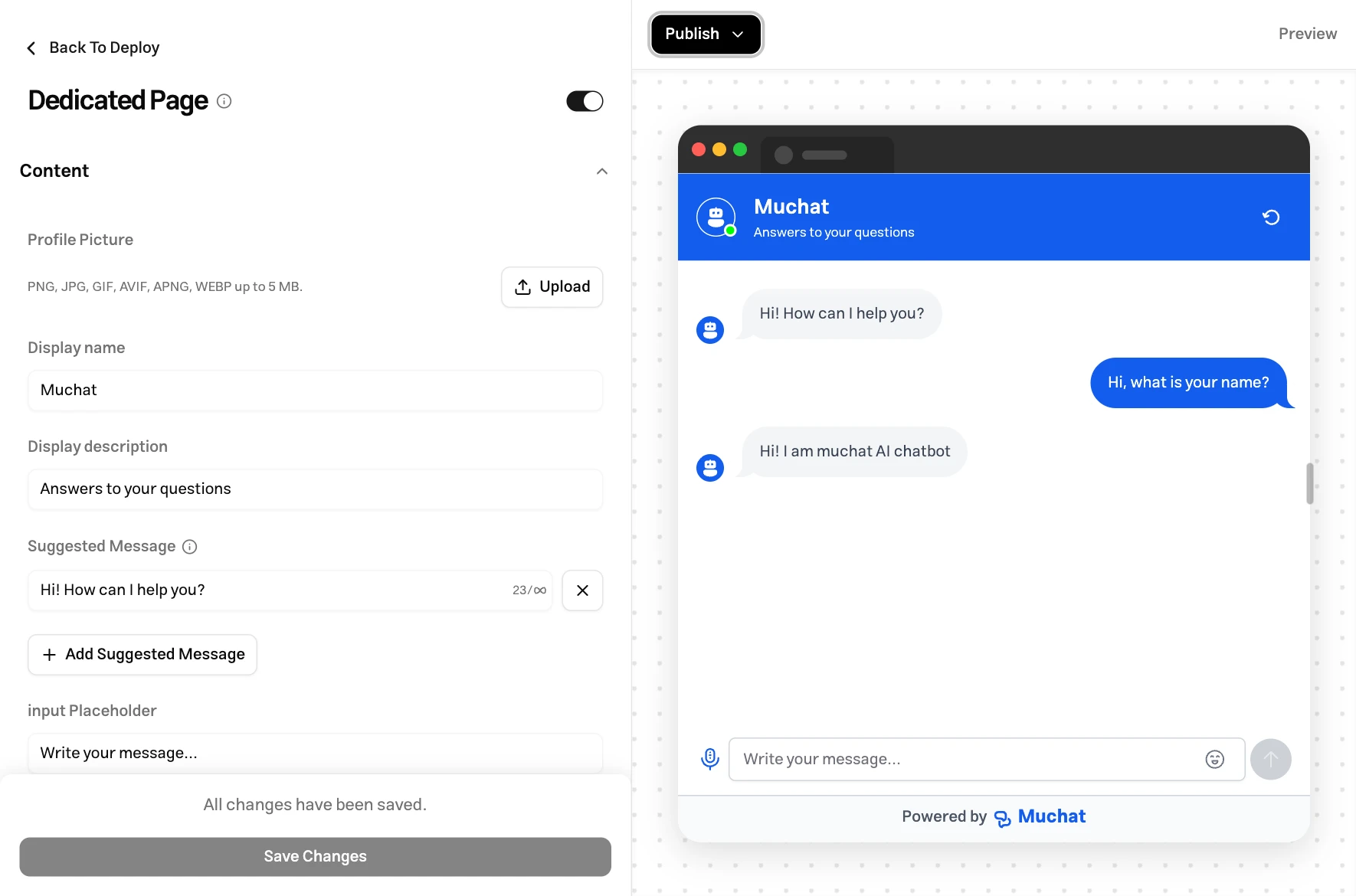
These settings belong to the dedicated page. Select Save after editing them. The attachment processing limits also apply here.
Page URL and access
The public URL has this format. YOUR_SLUG is the editable part of Page URL in the dashboard:
https://widget.mu.chat/standalone?slug=YOUR_SLUG
Copy the final link from the dashboard when sharing it. If you change the URL, update any links you previously sent to users. To stop access, turn off the dedicated page’s active switch.
Troubleshooting
Choose another address and wait for the check before saving. Copy the final saved address from the publishing dialog when sharing.
Check that changes are saved and the channel is active. Open the link using Visit page. The settings preview does not replace a public-link test.
These channels have independent display settings. Save the intended changes in the dedicated page’s own settings.