Channels
Bale
Connect a Bale bot or account to Muchat using a bot token or phone sign-in, then test and manage the connection.
Overview
Bale offers two connection methods: Bale bot for bot conversations and Bale account for your account’s private messages. Each has its own sign-in flow. Choose the method your customers use to reach you.
What you can do
Answer Bale messages using Muchat’s knowledge and actions, and follow the conversations in Inbox.
How to connect
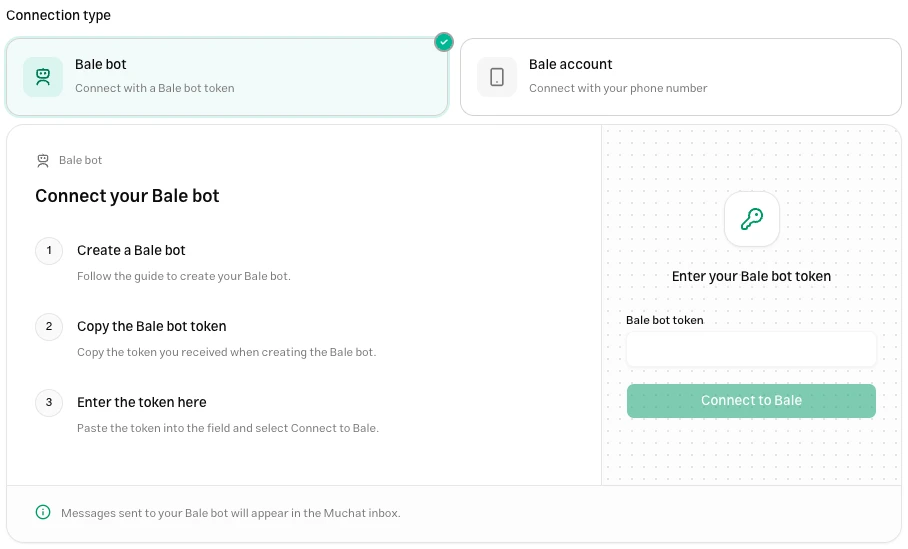
Open your agent in the dashboard, go to Deploy → Bale, click Setup, and choose the connection type.
Get the bot token
Create your Bale bot and obtain its token. Use Bale BotFather to manage bots.
Connect it to Muchat
Select Bale bot, enter the Bale bot token, and click Connect to Bale.
Set the start message
Once connected, edit and save the Start Message for /start. If left empty, the default message is sent. Bot replies are sent as final messages without streaming.
Enter the account’s number
Select Bale account, choose the country, enter the number registered with Bale, and click Send sign-in code.
Confirm sign-in
Enter the received code on this screen and click Verify code. If the account uses a two-step verification password, enter it in the next step.
Check the status
Wait for connection confirmation. If a recovery message appears, follow that status separately. An established connection does not necessarily mean recovery has finished.
Test the connection
Send a new message from another account to the connected bot or account. For the bot, also try /start first. Open the conversation in Inbox and check that Muchat’s answer reaches the same sender.
Configure the live chat handoff action to involve teammates. For the account connection, test a private message; adding the account to a group does not replace this check.
Troubleshooting
Enter the complete token for that bot; its name or identifier is not a token. If the token has changed, reconnect using the new credential.
Check the number and country, then follow the delivery method shown on screen. Request a new code after the waiting period ends. Do not reuse a code from an earlier sign-in attempt.
Read the recovery message. New messages may be arriving while some messages from an outage are still being recovered. Check fresh messages and earlier history separately.